Lab safety certification
Access to labs follows completed training, automatically.

by TitansBuilt on SPACE
Students, faculty, research and administration in one workspace. ACADEMY connects your student records, learning platforms, finance and research computing with governed AI agents — and can become the system your institution runs on, at the pace you choose.
Student records, learning, finance and admissions connect into one workspace, through the interfaces they already have.
The academic estate
A student sees one institution. Behind the counter there are separate systems for admissions, records, tuition, learning, exams, research computing and reporting — and people carrying data between them by hand. ACADEMY brings them into one workspace: first by connecting what you have, then by taking over what should have been one system all along.
A student, a course or a payment is entered once and seen by every office that needs it.
Students and staff ask in one place, in their own language, at any hour.
Every agent and model works inside permissions, review points and an audit trail you define.
Why now
Students and staff adopted AI faster than institutions could organise around it, and the compute to support them is often on campus already, waiting in a queue.
Figures as published by the cited sources. They describe the surveyed populations, not every institution.
Live demoDemonstration environment · Fictional institution · Sample data
A full demonstration workspace of a fictional college: cockpit, student records, admissions, exams, collection, Moodle, integrations and the agents module, all running on sample data. Open an agent, follow a request, approve an action.
Open an agent to see its authority, its live run and every action it took.
One inbox for email, WhatsApp and portal requests, with drafts waiting for a person.
Moodle, ERP, identity and BI, with sync status and logs.
01 / 04ACADEMY
Academy Core holds the life of your institution in one connected record: applicants, students, programs, courses, grades, tuition, staff and alumni. Run it beside your current student system through live integrations, or let it take over admissions, registration, exams and tuition module by module, when you decide.
A student, a course or a program appears once, and every office sees the part it owns.
Prerequisites, exam sittings, accommodations, appeals and tuition rules are configured, not hard-coded. When an outline changes mid-year, you change a rule, not the system.
Start as a layer over your current systems. Move the record itself only when a module is ready.
The full footprint
Core is designed to cover the yearly cycle of an institution, in the terms your offices already use: from planning the year and recruiting candidates to exams, collection, the dean of students and alumni. Adopt the areas you need first; the rest are ready when you are.
Module scope and sequence are defined as part of your implementation.
Example workspaceChoose a view
ADMISSIONS / CURRENT CYCLE
| ID | Subject | Next step |
|---|---|---|
| APP-2041 | B.Sc. Computer Science | Interview slot proposed |
| APP-2042 | M.A. Education | Documents missing |
| APP-2043 | LL.B. | Ready for decision |
Applicant 2041 meets the admission terms. The admissions agent proposed two interview slots and updated the CRM.
CRMInquiry & application
COREAdmission & registration
ERPTuition account
LMSCourse access
Follow a studentIllustrative flow · Sample data
From the first question on your website to the alumni network. At every moment, see which systems are involved, which agent helps and where a person decides.
01 / 09 · Inquiry
Maya asks about the data science program on your website. The admissions agent answers from the program catalogue, checks her eligibility and opens a lead with the conversation attached.
02 / 04ACADEMY
Academy Agents take defined roles across admissions, the registrar, student services, teaching operations and research computing. They read and write in your systems through scoped permissions, ask a person before sensitive steps and leave a record of every action.
Each agent owns a defined responsibility, with its instructions, knowledge and tools.
Agents read and write through the interfaces your staff use, within their scope.
Sensitive steps wait for approval. You decide which ones.
Agents answer each person in the language they write in, right-to-left included.
Example workspaceSelect a role to see its authority
01 / 08 · ACADEMY Agents
Answers applicants around the clock, qualifies them and keeps every lead moving.
Program catalogue, admission terms, applicant file
Leads, call bookings, document requests
Asks a personBefore any admission decision
ChannelsWhere people ask
ACADEMYAgent layer
SystemsWhere it acts
Follow a requestIllustrative flow · Sample data
It is 23:40 and the office is closed. The message arrives on WhatsApp and reaches the registrar assistant, with the conversation history.
03 / 04ACADEMY
Every faculty works differently. Academy Studio, powered by Space Code, is the development environment where your developers, data teams and Titans FDE engineers turn a faculty’s process into a module: screens, rules, agents and automation on the shared record. Built once, governed centrally, owned by the people who run the process.
Powered byCode
Modules and screens shaped around each faculty
Agents, tools and automation through APIs and MCP
Make and n8n connected into your solution
Open models on your CPU and GPU
Module exampleteaching-assignment.module
// A faculty process, on the shared recordmodule teaching_assignment { trigger semester.planning.opened context courses + staff.availability + rooms rules faculty.regulations agent { propose assignment; explain conflicts } review department.head output timetable -> core, lms, calendar}
A manual process. A reusable module.
As each faculty wishes
The record, the permissions, the agents and the integrations are shared. What each faculty builds on top is its own.
Access to labs follows completed training, automatically.
Students, supervisors and industry projects matched by preference and capacity.
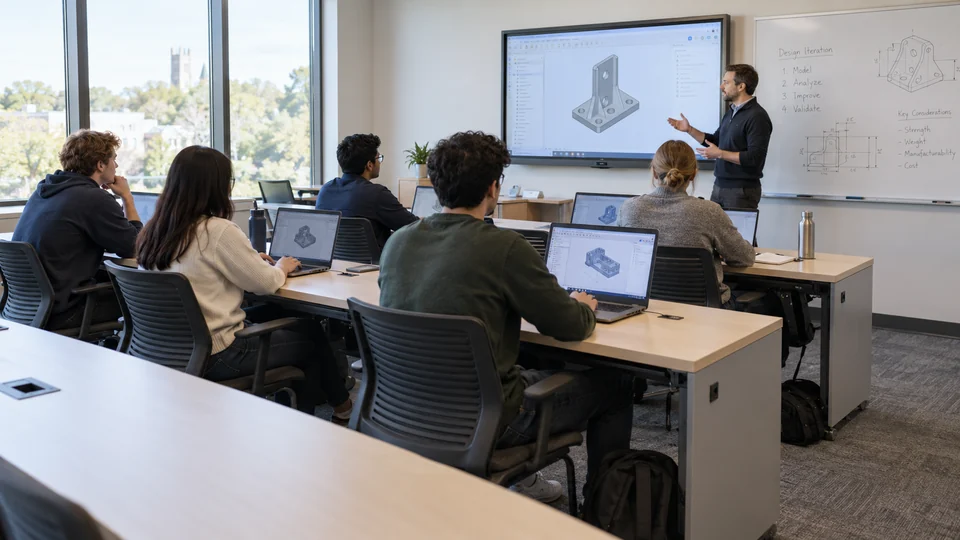
A ready environment for every student, opened from the course page.
04 / 04ACADEMY
Academy Compute, powered by Zenix, turns the servers and GPUs you own into workspaces people open in a browser. A course gets identical environments for a whole cohort, a research group gets its quota and idle capacity returns to the pool. The same infrastructure runs your institution’s own AI models, so student and research data stay on campus.
Powered byZenix
One profile gives every student the same environment, opened from the course page.
Quotas and profiles by group, with allocation, utilization and GPU hours in view.
Unused GPUs go back to the pool by policy, with running work protected.
Open models serve agents and assistants without data leaving campus.
Example workspaceChoose who needs compute
ZENIX / WORKSPACE PROFILE
01 / 02

02 / 02
Illustrative scenarios and imagery.
Local AI
Open-weight model families, from compact models to reasoning, code and vision. Run them on CPU for focused tasks or on GPU for advanced workloads, and connect external APIs only where your policy allows.
Compact models for classification, extraction and focused assistance. Validate memory, quality and response time on your hardware.
Gemma · Phi
Split inference between processor and accelerator with supported runtimes. Match model size and memory to your environment.
Quantization · Hybrid runtimes
Larger models, vision workloads and many concurrent users on GPU servers or a suitably sized cluster.
Qwen · Gemma · DeepSeek
Version, licence and capacity are selected as part of your implementation. External API services follow your institution’s policy.
The platform
A cockpit for leadership, a workspace for every office and a foundation for developers. Each role sees the same record through the view it needs.
01 / 08 · ACADEMY / Leadership
Admissions funnel, retention risk, collection, research activity and compute use, with the context behind each number and an owner for each exception.
Cockpit & BI
The cockpit brings the measures leadership follows into one view and answers questions in plain language, with the sources attached. The same governed data feeds the BI tools your analysts already use.
Admissions funnel · current cycle
 Power BI
 Tableau
 Qlik
Ask the data
Three programs are below 80% of target with four weeks left: M.A. Education, B.A. Philosophy and M.Sc. Materials. Education has 61 complete applications awaiting a decision.
Shared context & integrations
ACADEMY connects student systems, learning platforms, finance, identity and research infrastructure into one academic context. Information is linked to the right people, rules and permissions, so agents and modules work with what your institution already knows.
Shared academic contextThe same student. The same course. One context across every office.
Integration ecosystem
From learning platforms and student systems to ERP, BI, identity and research computing. FDE teams tailor each connection to your processes, permissions and environment, using the standards your systems already speak.








Integration starts with your academic processApplications · APIs · Data sources · MCP · Custom integrations
Product names and logos belong to their respective owners and indicate interoperability only. Integration scope is defined as part of your implementation.
The transition path
Replacing an academic system in a single move is a risk few institutions should take. ACADEMY starts beside what you run today and takes over one module at a time, with both systems in step until you switch. At every phase the record stays yours, in open formats.
Phase 0 / 4
Each module lives in its own system, and staff carry data between them.
No single cutover. Each module moves when its numbers match in parallel.
The record lives in open, documented structures you can query, export and take with you.
New needs become modules in Studio, not requests in a vendor’s queue.
The foundation is ACADEMY. The institution is yours.
×Aidome™AI control plane
Student data is among the most sensitive an institution holds. Aidome governs how AI touches it: a self-hosted control plane between ACADEMY’s agents and modules and every model and tool they reach. On-premises, private cloud or air-gapped.
What you gain
Every AI interaction on campus passes through a shared layer of access, security, policy and operations before it reaches a model or a record.
A single OpenAI-compatible endpoint across open, local and hosted models. Change a route, not your modules.
In ACADEMY: model choice across CPU, GPU and hosted APIs becomes a policy, not a rebuild.
Prompts and responses are inspected and filtered in real time, with PII masking and data-loss prevention.
In ACADEMY: agents work with student records while identifiers and grades stay inside your environment.
MCP servers and tools are governed in one framework: which capability is available to which agent.
In ACADEMY: a service agent can open a ticket. It cannot change a grade.
Scoped, revocable virtual keys per application, team and user, with SSO / SAML and role-based access.
In ACADEMY: the roles and review points of each office are enforced at the model boundary.
Budgets, quotas and rate limits per key, team and user. Caching and cost-aware routing reduce paid tokens.
In ACADEMY: see AI cost per faculty, course and agent, and send routine work to capacity you already own.
Audit logs, usage analytics and automated compliance reporting for security, operations and risk teams.
In ACADEMY: a decision trail from a student’s question to the model that answered and the person who approved.
Aidome™ is a product of Aidome. Capabilities as published at aidome.co. Availability and scope are defined as part of your implementation.
Deployment & adoption
Run ACADEMY on your own servers, in a private cloud or as a hybrid of both, matched to your data, permissions and performance requirements. Start with one process, put it to work with the team that owns it and expand from there, supported by Titans FDE engineers.
Sit with the office that owns the process. Choose a first high-value process, such as teaching assignment or registration requests, and map the people, rules and systems behind it.
A first processConnect the student system, the learning platform, the ERP and identity. Give the process the context and tools it needs.
A connected workspaceConfigure the module, define the agent’s role and its approval points. Work alongside the team until it is part of the daily routine.
A working moduleExtend to another office, faculty or module. Reuse the integrations, context and governance already in place.
Compounding capabilityBuilt around your institution
From recruitment and registration to teaching, research and finance. One foundation of record, knowledge, permissions and agents, with processes shaped around each office.
Admissions & recruitment
Answer applicants at any hour, keep every lead moving and give the committee one complete file. The CRM stays current without anyone typing.
Q&A
ACADEMY is Titans’ platform for higher education, built on SPACE. It connects the academic record, learning platforms, finance and research computing in one workspace, with governed agents, a development studio for faculty modules and GPU workspaces powered by Zenix.
It can, and it does not have to. ACADEMY starts as a workspace over your current systems, reading and writing through their interfaces. When you are ready, Core takes over one module at a time, running in parallel until the numbers match.
Yes. ACADEMY connects to learning platforms through their web services and through LTI Advantage, synchronises enrolments and grades and lets agents handle course operations within the permissions you define. Course assistants can run on models hosted on your own infrastructure.
Both. Each agent has scoped credentials that define what it may read and write. Sensitive actions, such as releasing a hold or changing a status, wait for a person’s approval, and every step is recorded.
Where you decide. ACADEMY can run on your servers, in a private cloud or as a hybrid. Open models can run on your own CPU and GPU, so prompts and records do not have to leave the campus.
Interfaces and agents work in multiple languages, including right-to-left languages, and can answer each person in the language they write in. Interfaces are designed to WCAG AA accessibility. Quality in each language is validated during implementation.
In Academy Studio. Developers, data teams and FDE engineers build faculty modules on the shared record: screens, rules, agents and automation. The foundation stays common; the way of working is the faculty’s own.
ACADEMY connects to ERP systems for tuition, budgets and procurement, and feeds the BI tools your analysts already use. The cockpit adds a leadership view and plain-language questions on the same governed data.
Not for every use case. Compact models and focused tasks can run on CPU. For teaching labs, research and larger models, Academy Compute manages the GPUs you have and helps plan the capacity you need.
With one process that matters, such as teaching assignment or registration requests. Together we map it, connect the relevant systems and put a first module to work with the team that owns it.
Yes. The live demo on this page is a full demonstration workspace with sample data from a fictional college. A guided session on your own processes follows with the Titans team.
Your next academic year starts here
Your systems. Your regulations. A space that grows with your institution.
01 / 01ACADEMY
Use ← → to move · Esc to exit